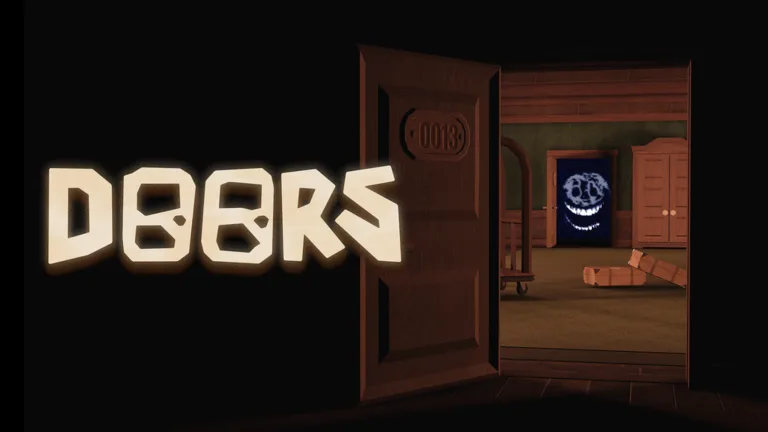
Complete Guide to All DOORS Modifiers: Master the Challenges
Discover the ultimate breakdown of all DOORS modifiers in Roblox. Learn how to use each modifier to customize your run, earn more knobs, and survive.
Published: DOORS Wiki Editorial Team
Video Guide
Ranking Top 10 Hardest Modifiers to Beat | Roblox DOORSTable of Contents
The world of LSPLASH’s hit horror game, DOORS, is constantly shifting, and mastering the game’s unique challenge system is the key to becoming a true survivor. By utilizing the various doors modifiers, players can drastically alter their gameplay, testing their skills against intensified threats while potentially boosting their rewards. Whether you are a newcomer or a seasoned veteran looking to optimize your runs, understanding how these mechanics work is essential for navigating the Hotel, the Mines, and beyond.
In this comprehensive guide, we will break down every aspect of doors modifiers, from how to unlock them to the specific effects they have on your survival chances. If you want to elevate your experience in this iconic Roblox horror title, you’ve come to the right place.
Understanding the Modifier System
Modifiers in DOORS are not just simple settings; they are game-altering parameters that change how entities behave, how resources are distributed, and how the environment itself reacts to your presence. Some modifiers make the game nearly impossible, while others offer a unique twist on the standard run.
Why Use Modifiers?
The primary reason players experiment with these settings is to increase the "knob" reward at the end of a run. Higher difficulty settings grant a percentage bonus to your total earnings, which is vital for unlocking new items and shop upgrades. According to official game updates, the developers have designed these to provide a scalable challenge for the entire community.
Modifier Type
Primary Effect
Risk Level
Lighting
Reduces visibility/removes light sources
Medium
Movement
Changes player/entity speeds
High
Entity
Alters spawn rates or AI behavior
Very High
Item/Gold
Modifies loot rarity and availability
Low/Medium
Essential Movement and Speed Modifiers
Speed is life in DOORS. Managing your pace while avoiding entities like Rush or Figure requires precise movement. Certain modifiers can either make your life easier or turn the game into a chaotic sprint for survival.
Comparing Speed Modifiers
The following table outlines how different movement-based settings impact your run. Note that some of these are mutually exclusive due to the intensity of the challenge.
Modifier Name
Effect
Knob Bonus
Faster, Faster, Faster
Significantly increases speed
-75%
MAXIMUM OVERDRIVE
Extreme speed boost
-125%
My Legs Are Killing Me
Significant speed penalty
+10%
Tip
Choose Wisely
Avoid stacking multiple speed penalties if you are planning to tackle high-danger floors, as being unable to outrun an entity is a guaranteed way to lose your run.
Managing Entity Threats: The "Hard" Way
Community reports and player experiences suggest that the most rewarding runs involve tweaking entity behavior. By enabling specific modifiers, you can force entities like Rush or Screech to behave in ways that defy standard patterns.
Key Entity Modifiers
Rush Around: Forces Rush to attack from the front rather than the back, keeping you on your toes.
I'm Everywhere: Allows Screech to spawn in any room, not just dark ones.
Every Angle: Causes Eyes to teleport randomly, making standard avoidance techniques unreliable.
Environment and Vision Challenges
One of the most intense ways to play is to limit your vision. While the game already features dark rooms, specific modifiers take this to the next level.
How to Survive "Blackout" Concepts
Many players are currently discussing the potential for "Blackout" modifiers, where the natural ability to see in dark rooms is completely stripped away. To succeed in such a scenario, you must rely entirely on light sources. If you ever find yourself in a pitch-black environment:
Conserve your light: Only use your flashlight or lighter when you are certain there is a path forward.
Audio Cues: Listen for the distinct hum of Rush or the footsteps of Figure; sound is your most reliable tool when vision is restricted.
Community Tip: Many players recommend using the Shake Light as a primary tool if you are playing with vision-limiting modifiers, as it is often provided as a balance to the extreme darkness.
Loot and Shop Economy
Not every modifier is about survival; some focus on the economy of the game. If you want to challenge yourself by having fewer resources, you can toggle modifiers that affect item drop rates.
Loot Modifier Breakdown
El Goblino's Payday: Decreases the chance of finding cash in drawers, forcing you to rely on skill rather than shop purchases.
Out Of Stuff: Completely deactivates item drops, making this an "iron-man" style challenge.
Modifier
Difficulty Impact
Recommended For
More Stuff
Low
Beginners
Less Stuff
Medium
Intermediate Players
Out Of Stuff
Extreme
Expert Speedrunners
Common Mistakes and How to Avoid Them
When customizing your run, it is easy to get overconfident. Here are some common pitfalls noted by the community:
Stacking Conflicting Modifiers: Always check the "Cannot be used with" section in the game menu. Attempting to force conflicting settings can lead to unintended glitches or an impossible run.
Ignoring Room Requirements: Some modifiers are exclusive to specific floors like The Hotel or The Mines. Don't waste time looking for a modifier in a floor where it doesn't exist.
Underestimating Snare: Modifiers like "I Love Pancakes!!!" make Snare fatal. Do not treat them as mere annoyances; treat them as primary threats.
Frequently Asked Questions (FAQ)
What is the best way to earn knobs using doors modifiers?
The best way is to stack high-bonus modifiers like "MAXIMUM OVERDRIVE" or "I Love Pancakes!!!" while ensuring you have the skill to handle the increased difficulty. Always balance the risk with your current ability.
Can I use all modifiers at once?
No. Many modifiers are mutually exclusive, meaning they cannot be activated simultaneously. The game menu will automatically disable conflicting options when you select one.
Are there secret modifiers I can unlock?
Yes, some modifiers require specific achievements, such as interacting with glitch fragments or surviving certain encounters for the first time. Check your progress in the Achievements tab to see what you are missing.
Will these modifiers affect my progress in the Mines?
Some modifiers are floor-specific. While some apply to the Hotel, others are designed specifically for the Mines or the Backdoor. Always check the description of the modifier in the game UI to see which floors it affects.