How to Join the Official DOORS Discord Server for Roblox Fans
Looking for the official DOORS Discord? Learn how to connect with the community, get game updates, and master this popular Roblox horror experience today.
Published: DOORS Wiki Editorial Team
Table of Contents
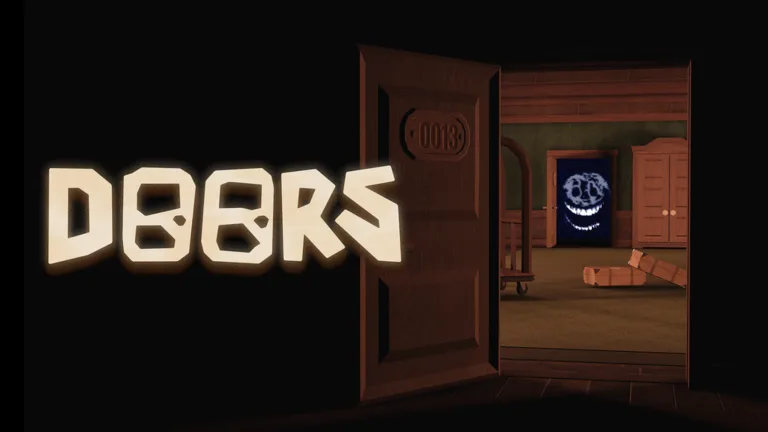
The DOORS experience on Roblox, developed by the talented team at LSPLASH, has captivated millions with its atmospheric horror and intricate puzzle-solving mechanics. For dedicated players looking to elevate their gameplay, finding the doors discord community is often the first step toward mastering the hotel’s many challenges.
Joining a community hub is essential because it allows you to stay updated on real-time game changes, connect with fellow speedrunners, and share strategies for surviving the most difficult entities. Whether you are a casual player or a competitive speedrunner, having access to the right resources can significantly improve your survival rate in the dark, mysterious hallways of the game.
Why Join the DOORS Discord Community?
The primary reason to seek out the doors discord is the sheer wealth of knowledge shared by the player base. While the game provides internal clues, the depth of strategy required to survive higher levels often demands community collaboration.
By joining, you gain access to:
Real-time Updates: Be the first to know about patches, bug fixes, and seasonal content drops.
Strategy Sharing: Learn specific tactics for evading entities like Rush, Ambush, and the dreaded Figure.
Speedrun Resources: Engage with the competitive scene, where top players share their record-breaking routes.
Community Events: Participate in group challenges and fan-driven discussions that keep the game fresh.
According to community reports, the most reliable way to ensure you are in the correct server is by checking official links provided by the developers. Always avoid unofficial links, as they may not represent the actual community or the developer’s vision.
Navigating the Roblox DOORS Ecosystem
Understanding the structure of the game's community is vital. Players often confuse official hubs with fan-made wikis or unofficial servers. For instance, while there are many "ideas" wikis that feature creative, non-canon entities, these are not the places to go for official game support or developer announcements.
Key Community Differences
Source Type
Purpose
Reliability
Official Discord
Developer updates, bug reports
High (Verified)
Speedrun Forums
Competitive times, rules, guides
High (Context-specific)
Fanon Wikis
Creative ideas, concepts, fan-art
Low (Not official)
As noted by long-time players, the official game page on Roblox is your primary anchor. If you are looking for specific gameplay mechanics or need to verify if a feature is canon, always refer back to the official LSPLASH platform.
Essential Tips for New Players
If you are just starting your journey through the hotel, survival is your only goal. Many players struggle with the basic mechanics of hiding. Here are some fundamental tips gathered from experienced members of the doors discord community:
Listen for Audio Cues: Almost every entity has a distinct sound signature. If you hear a flicker or a distant roar, get to a hiding spot immediately.
Manage Your Light: Use your flashlight or lighter sparingly. Conserving resources is the difference between surviving a long run and being left in the dark.
Study Entity Behavior: Each entity has a specific "rhythm." Watching how they move through rooms allows you to predict their pathing.
Entity Survival Table
Entity
Primary Threat
Recommended Action
Rush
High-speed traversal
Hide in a closet immediately
Figure
Sound-based tracking
Crouch and move slowly
Eyes
Staring damage
Look away/down at the floor
Screech
Surprise attack
Look around quickly when you hear a whisper
Tip
Pro StrategyMastering the Closet Mechanic: Never stay in a closet longer than necessary. If you hear the entity pass, exit as soon as possible to avoid triggering secondary effects or running out of breath.
Engaging with the Speedrunning Scene
For those who have conquered the hotel, the next challenge is speedrunning. The doors discord serves as a central hub for the community to verify runs and discuss category extensions. Speedrunners often use specialized software or specific setups to optimize their performance.
If you are planning to record your runs for verification, ensure you follow the standard rules established by the community. Most platforms require unedited footage and clear proof of the game version being played.
Common Speedrun Categories
Any%: The fastest way to reach the end of the current floor.
No Shop: A restrictive category where you cannot purchase items from Jeff’s Shop.
Legacy Mode: A run based on older versions of the game, often requested by veteran players.
Avoiding Common Pitfalls
One of the most frequent mistakes new players make is joining "fan-version" servers that claim to be official. These servers often contain misinformation about game mechanics or fake release dates for updates. Always look for the "Verified" badge or links directly sourced from the developer's official profiles.
Furthermore, remember that the doors discord is a place for constructive discussion. Harassment or spamming in these servers can lead to a permanent ban, cutting off your access to the best source of game information available.
Warning
Security ReminderProtect Your Account: Never share your Roblox password, cookies, or personal information with anyone on a Discord server, even if they claim to be a moderator or developer. Official staff will never ask for your login credentials.
Frequently Asked Questions (FAQ)
1. Is there an official doors discord link I should use?
The safest way to find the official server is to check the links section on the official DOORS Roblox game page. Avoid clicking random links from third-party sites.
2. Can I get help with specific levels in the community?
Absolutely. Many players use the doors discord to ask for tips on difficult rooms like Door 50 or Door 100. The community is generally very helpful to those who are polite and follow the server rules.
3. Does the community support fan-made entities?
Yes, there are specific channels in many fan servers for "fan-made" or "idea" entities. However, these are not part of the official game, so do not expect them to appear in the main Roblox experience.
4. How do I report a bug I found in the game?
The official server typically has a dedicated "Bug Reports" channel. Providing clear screenshots, a description of what happened, and your device information helps the developers fix issues faster.